
Newcomer
Jun 16, 2022 5:44 PM UTC
Question

Zoom Rooms Controller Won't Pair

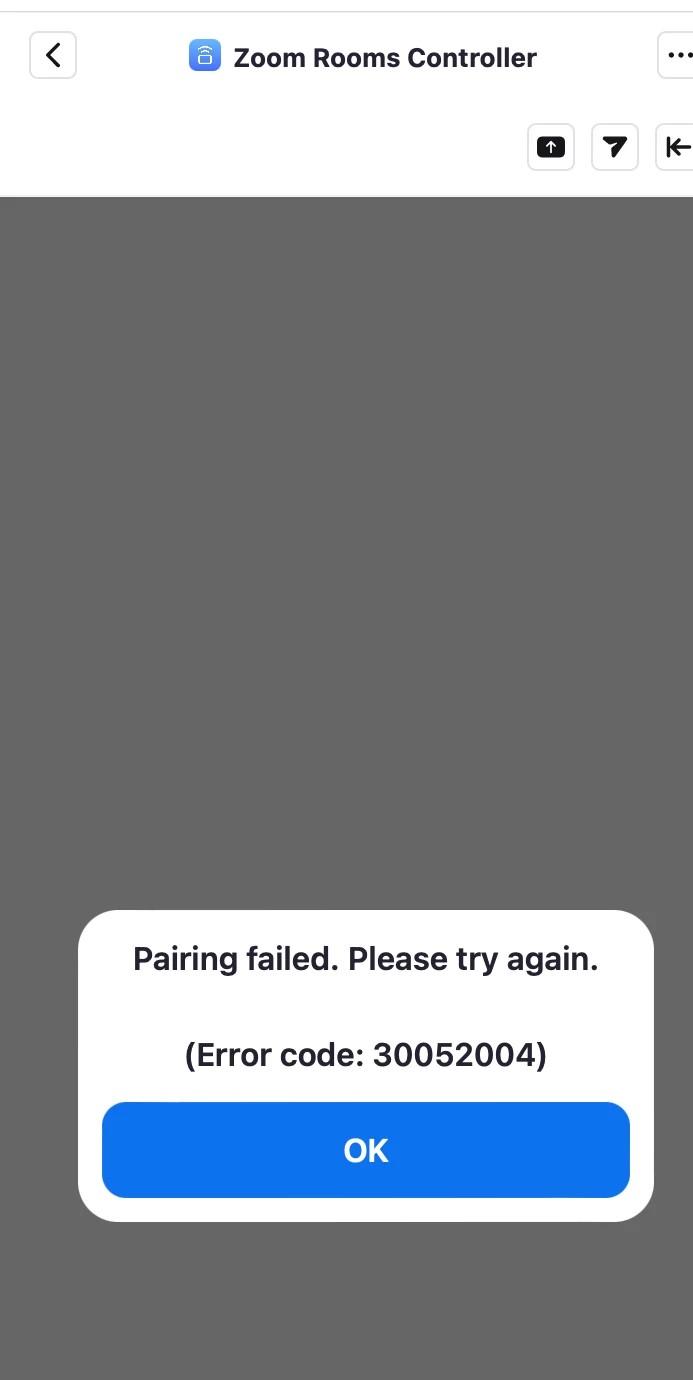
Our Zoom Rooms were working fine with the Rooms Controller app last week.  This week.  They won't pair.  All I get is an ungoogleable error and a prompt to enter the pairing code, which also doesn't work.



    6 replies

    Newcomer
    Jun 20, 2022 11:52 PM UTC

    Same here. I'm using Mac app version 5.10.7 (7748) with Zoom Rooms Controller, trying to control a room powered by a Facebook Portal. The Portal is running Zoom app version 5.9.5 (890), Portal version 1.36.1.


    All versions are latest available.


    I've tried removing and re-adding Zoom Rooms Controller to my account, same result. Tried signing out on the Portal and signing back in, re-pairing with the Mac Zoom client, same result, same error code.

    Translate
    Partner
    Aug 10, 2022 10:50 AM UTC

    Hello,


    We have the same problem.

    I'm looking for a special settings in my zoom room basic setup who can cause this problem.

    Translate
    Newcomer
    Aug 12, 2022 1:25 AM UTC

    I also have the same issue. All software is the latest version. Have tried to reinstall but the error persists. 

    Translate
    Explorer
    Nov 22, 2022 2:46 PM UTC

    I'm having the same issue. The controller simply won't pair with the room no matter what i do. I can ping the controller from the PC. The OS on the PC and iPad are both up to date. Zoom version 5.12.6 on both. This has been an ongoing problem since day one.  

    Translate
    Newcomer
    Jun 19, 2023 11:51 AM UTC

    Is there a fix for this?

    Translate
    Explorer
    Jun 28, 2023 7:14 PM UTC

    Ditto. Opened a ticket, but having a similar issue. No error code, but they just won't stay paired.  Happened in January as well, then seemed to mysteriously get resolved. Given that history, I'm hoping this is a Zoom client issue that they will quickly identify.

    Translate