Explorer
Mar 21, 2023 8:36 PM UTC
Solved

Zoom webinar registration settings

I would like to limit the email addresses people can use to register for a Zoom webinar.  For example, I only want people with the email domain "@cooldomainname.com" to be able to register, and I don't want anybody with the domain name "@gmail.com" to register.  Is this possible?  I saw I can block certain domain names from registering, but I can't find a way to whitelist the domain names I want.  Thanks!

    anissat
    anissatAnswer
    Partner
    Mar 21, 2023 11:14 PM UTC

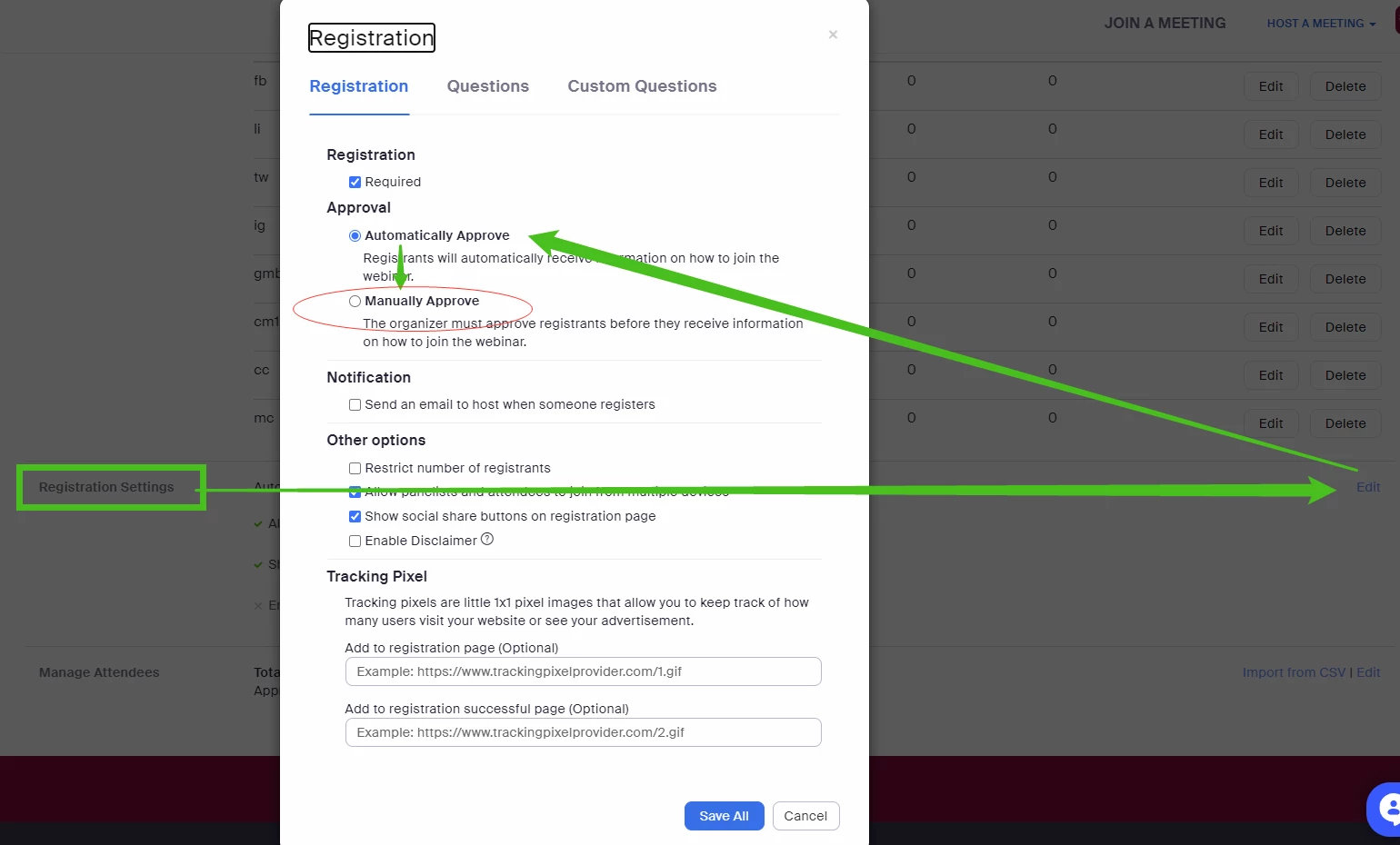
    @bworcester If you don't have full administrative access, here's an alternate (though somewhat less convenient) solution...  Change the default Registration Approval to Manual in your webinar's settings so that you can vet who is allowed in your particular session:


    4 replies

    WencesUnzueta
    Partner
    Partner
    Mar 21, 2023 10:38 PM UTC

    Hi Worcester.


    You can request "user authentication" so that they can enter your session through a specific domain, you configure this when you are programming the session, I attach a screenshot:

    Translate
    Explorer
    Mar 21, 2023 11:03 PM UTC

    Unfortunately, I don't seem to have the ability to require attendees to authenticate.  I only can have panelists authenticate.  (see screen shot).  Feels like I'm missing something...

    Translate
    anissat
    Partner
    anissatAnswer
    Partner
    Mar 21, 2023 11:14 PM UTC

    @bworcester If you don't have full administrative access, here's an alternate (though somewhat less convenient) solution...  Change the default Registration Approval to Manual in your webinar's settings so that you can vet who is allowed in your particular session:


    Translate