Hi, @ManuelLeyva.
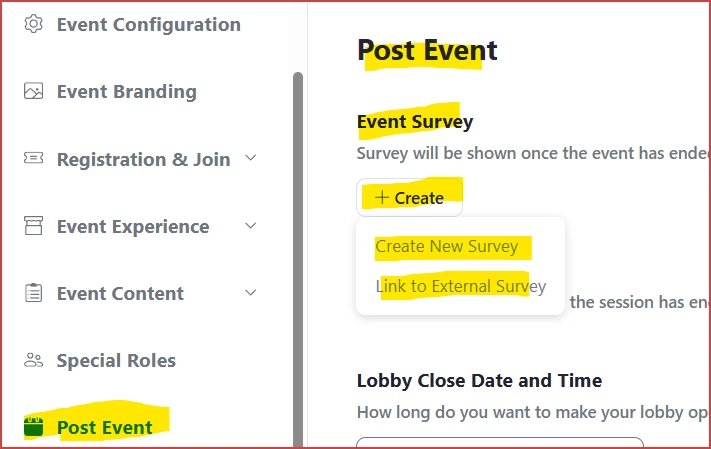
So you're probably aware of the Post Event tab's Event Survey +Create button:
I agree that the mere "appearance" of a survey is very easily missed, dismissed, or ignored.
Consider updating the message in the Communications -> Emails -> Thank you for attending. This can be customized by clicking Thank you for attending, and modifying the layout and contents of this. I'd suggest working with this in a demo/test event to hone your message's look and feel. In that message editor, look in the Event block for the Survey box, which can be dragged over to the email editor and dropped into place. Note that this appears to just send a link to the post-event survey, but it a little more pro-active than having it pop up on the user's device at the end.
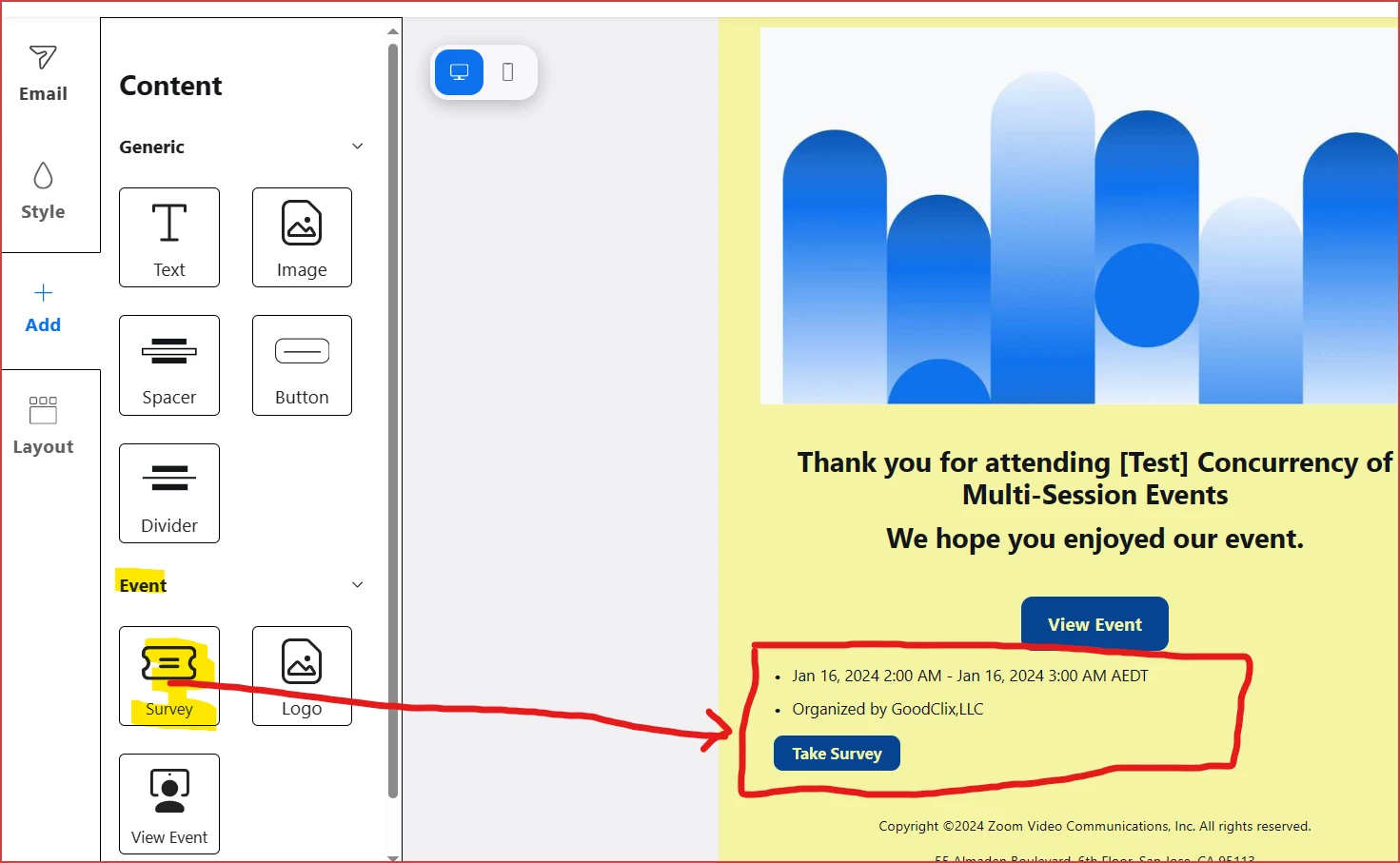
So far, there's no way to make the "Take Survey" button more prominent or center it, but you can change the text of the button (limited to 15 characters), as well as colors of the button and it's text: