Newcomer
Feb 15, 2024 5:11 AM UTC
Solved

Slide Control Issues

I'm trying to enable Slide Control for a webinar we're hosting, but it's not showing up as an option in the toolbar even though I've ensured that it's enabled in Settings.  Any suggestions for troubleshooting this?

    bstrelko
    bstrelkoAnswer
    Partner
    Feb 15, 2024 3:50 PM UTC

    Can you provide some additional info?

    • What OS and version of Zoom Client is being used on your local machine (the one that's attempting to offer Slide Control)?
    • What exactly is being shared (PPT application window, full monitor w/ presentation, Google Slides, etc)? Please outline your content selection process.


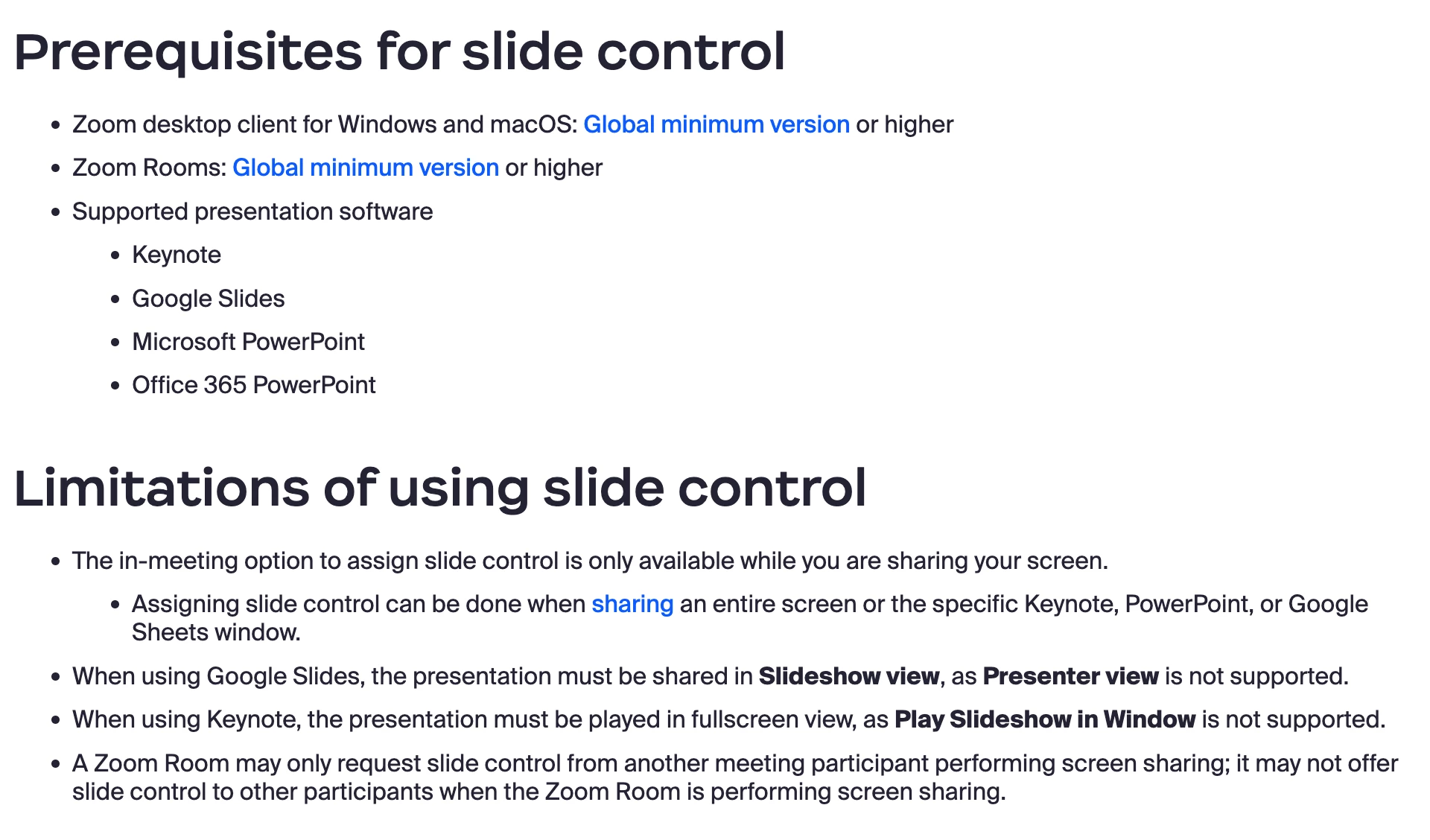
    Additionally, please confirm that you meet the requirements for Slide Control and aren't falling into one of the use-cases outlined in the limitations section (for instance, using Presenter View in Google Slides):

    More info here: https://support.zoom.com/hc/en/article?id=zm_kb&sysparm_article=KB0061986

    2 replies

    bstrelko
    Partner
    bstrelkoAnswer
    Partner
    Feb 15, 2024 3:50 PM UTC

    Can you provide some additional info?

    • What OS and version of Zoom Client is being used on your local machine (the one that's attempting to offer Slide Control)?
    • What exactly is being shared (PPT application window, full monitor w/ presentation, Google Slides, etc)? Please outline your content selection process.


    Additionally, please confirm that you meet the requirements for Slide Control and aren't falling into one of the use-cases outlined in the limitations section (for instance, using Presenter View in Google Slides):

    More info here: https://support.zoom.com/hc/en/article?id=zm_kb&sysparm_article=KB0061986

    Translate
    Community Manager
    Feb 20, 2024 9:29 PM UTC

    Hello @ShanJ . Welcome to the community! I went ahead and marked @bstrelko  reply as the solution. Given the information about meeting the prerequisites for the "slide control" feature, were you able to double-check that those requirements were met, allowing you to use the feature? If @bstrelko  response did not resolve your issue, please mark the solution as "not as the solution" and tell us what didn't work with the resources provided! 
     

    Translate