Newcomer
Jan 20, 2022 10:56 PM UTC
Solved

Managing list of Panelists

I want to verify links were sent to a large number of panelists, the webinar summary only shows 10 at a time.

I have the csv that i used to upload, but I would like to review to ensure all links were sent.  Large event with 1000 panelists and 3000 capacity license.  Any suggestions?

    beardbrad
    beardbradAnswer
    Employee
    Jan 20, 2022 11:07 PM UTC

    cactech,


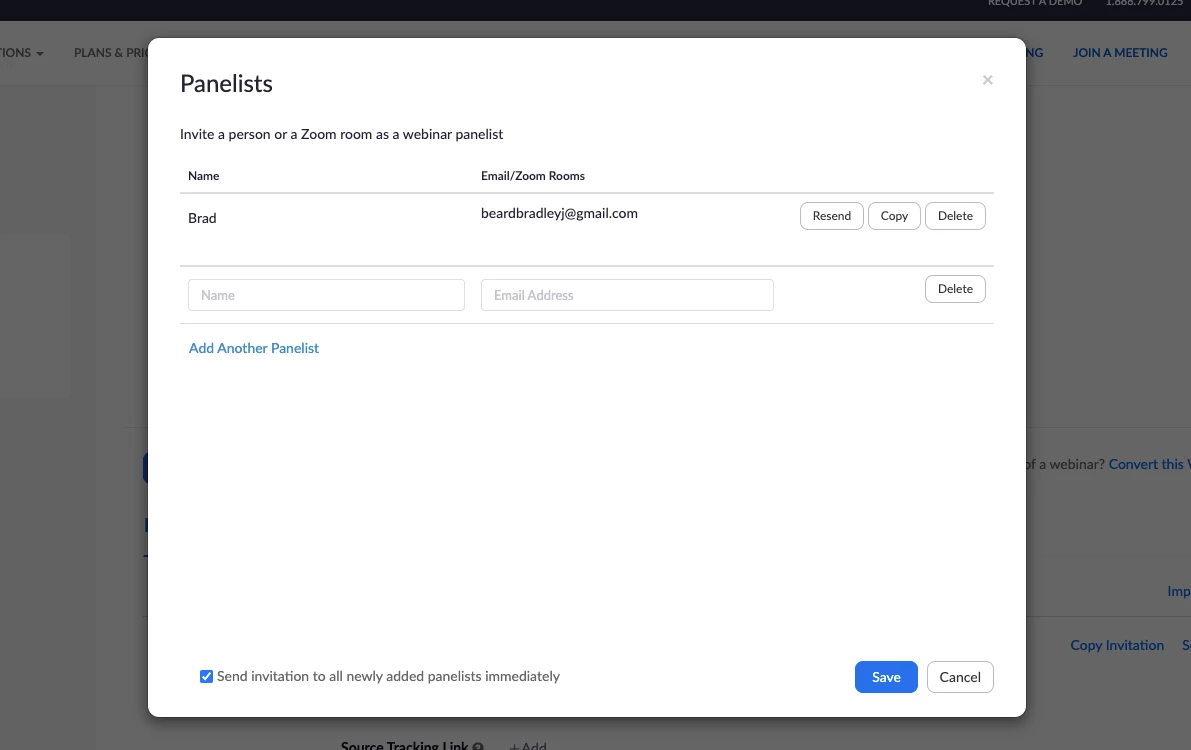
    From the webinar settings you'll see the ability to manage your panelists, see which emails are used for each person, and resend the link if needed. You can access this by clicking on the Webinar tab, clicking on the specific webinar, and scrolling down to the Invitations tab.


    If this helped you, please mark it as a solution so it may help others.


    Brad


    2 replies

    beardbrad
    Employee
    beardbradAnswer
    Employee
    Jan 20, 2022 11:07 PM UTC

    cactech,


    From the webinar settings you'll see the ability to manage your panelists, see which emails are used for each person, and resend the link if needed. You can access this by clicking on the Webinar tab, clicking on the specific webinar, and scrolling down to the Invitations tab.


    If this helped you, please mark it as a solution so it may help others.


    Brad


    Translate
    beardbrad
    Employee
    Employee
    Jan 24, 2022 6:21 PM UTC

    cactech,


    Checking in to see if this reply helped you. If so, please mark it as a solution so it may help others.


    Brad

    Translate