

Explorer
Sep 18, 2023 5:18 PM UTC
Solved

Looking to add two new users to the auto receptionist recording...

I am new to the whole Zoom phone platform.  I've been circling for days trying to find the answer of how to add two new users to the auto receptionist greeting. 

The new users are set up in the IVR menu, but the auto receptionist only reads the original names to callers... how do I add the new options?
EliotAnswer
Partner
Sep 18, 2023 10:43 PM UTC

Hi ngates,


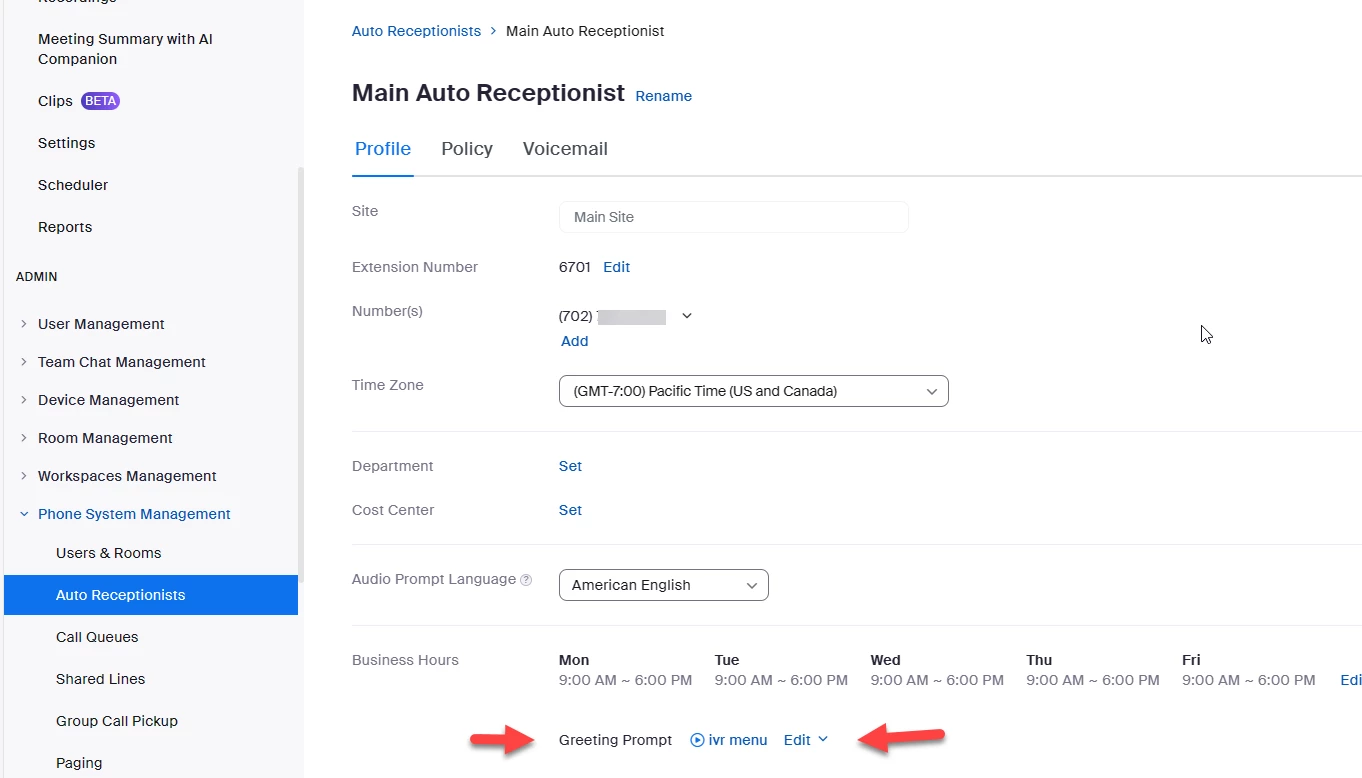
go to Zoom portal->admin->phone system management->auto receptionist


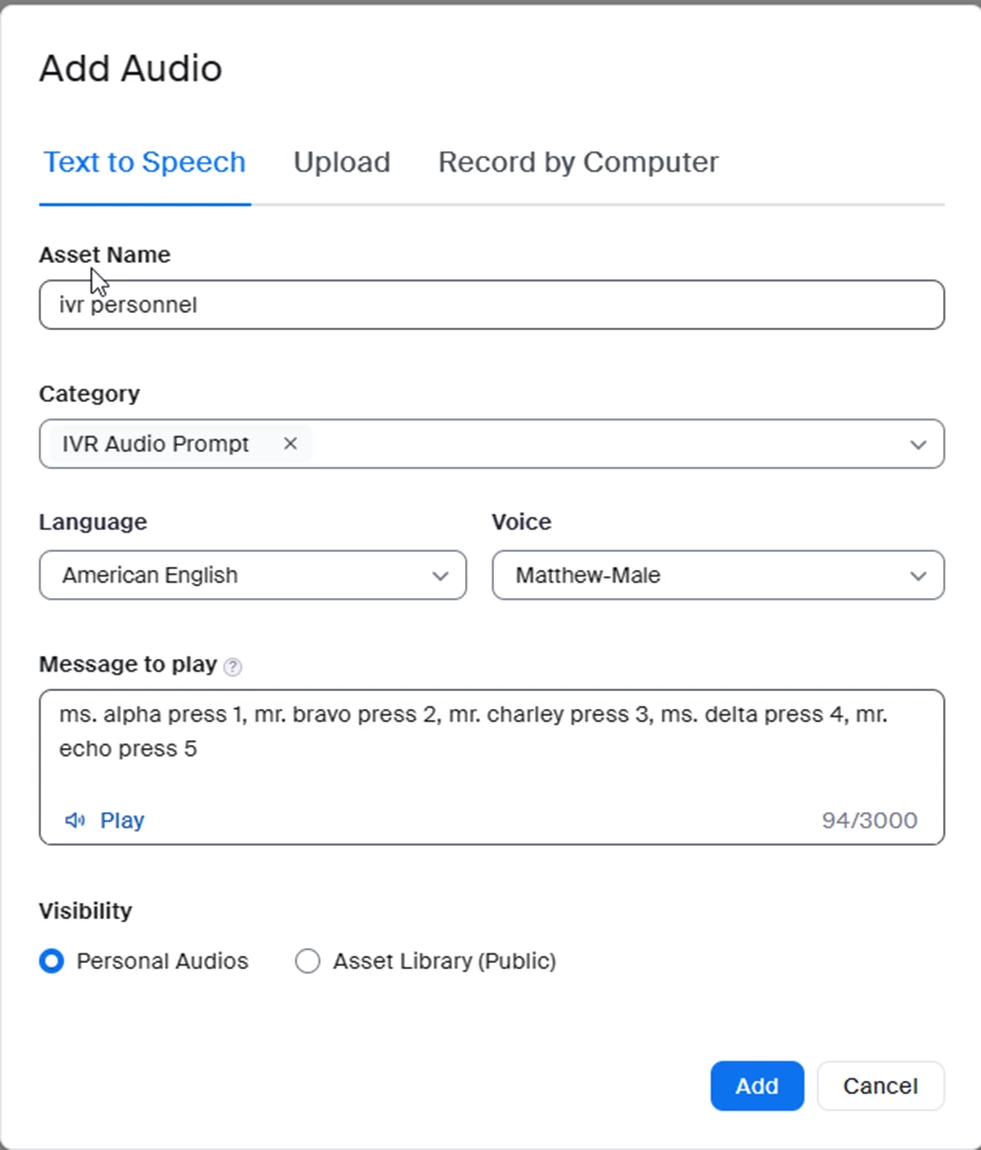
Edit Greeting Prompt by adding the new names and what key to press and then add.


Did my response answer your question? If so, please don't forget to mark the reply as an accepted solution.


thanks,  eliot


2 replies

EliotAnswer
Partner
Sep 18, 2023 10:43 PM UTC

Hi ngates,


go to Zoom portal->admin->phone system management->auto receptionist


Edit Greeting Prompt by adding the new names and what key to press and then add.


Did my response answer your question? If so, please don't forget to mark the reply as an accepted solution.


thanks,  eliot


Translate
ngatesAuthor
Explorer
Sep 19, 2023 1:58 PM UTC

Thank you, Eliot! This worked like a charm!

Translate