Explorer
Jul 17, 2024 8:01 PM UTC
Solved

Add a 2nd W73H handset.

Hivemind ~


Desperately seeking a guide on how to add a second handset to my account.  I have an existing Yealink w70b base station with a W73H linked to it, working great.  I've purchased a second W73H and it is registered to the base, but I cannot for the life of me figure out how to make the it work...


Thanks in advance for any assistance!


EliotAnswer
Partner
Jul 23, 2024 2:11 PM UTC

Hi mjcollinge,


Since you have already added the second handset to the base, you can add lines to the second handset.


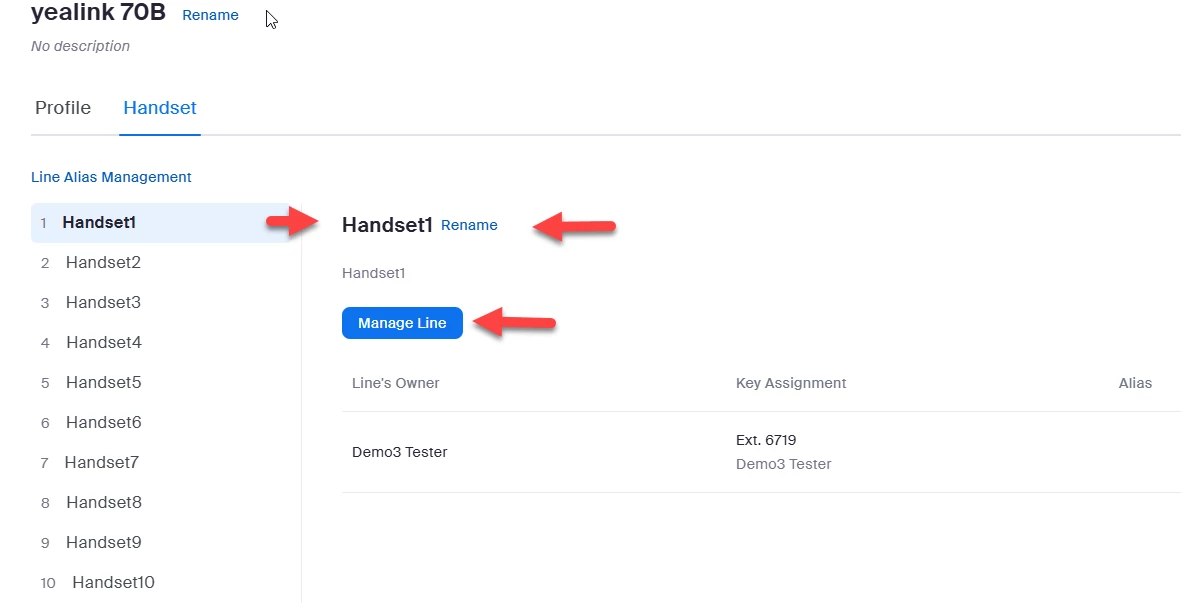
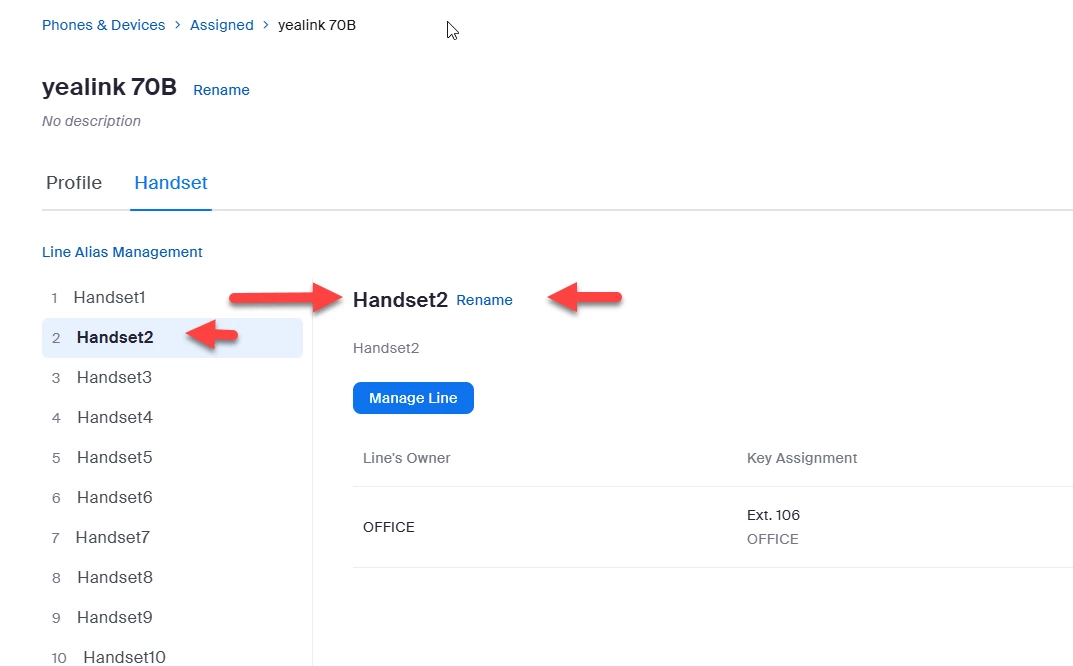
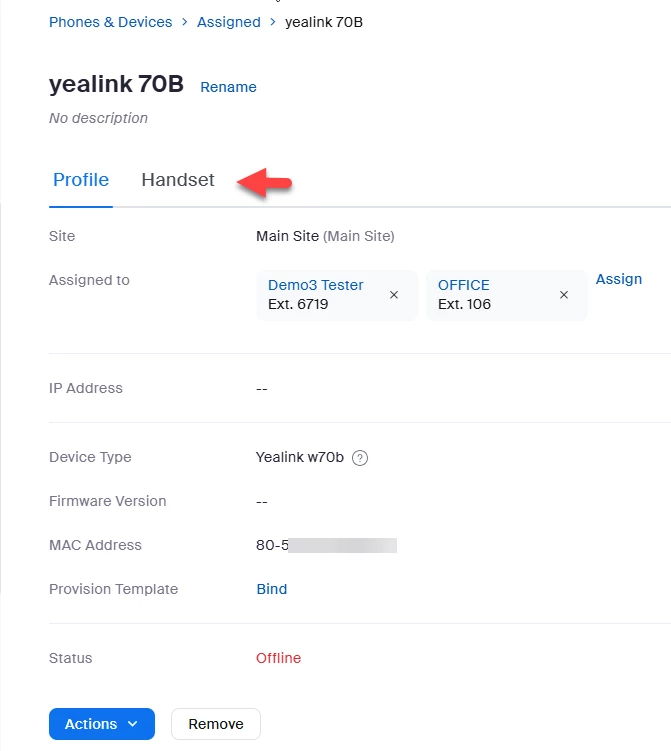
Go to admin->phone system management-phones & devices->assigned->yealink70b->handset.  You should see each handset including your first handset and your second handset.


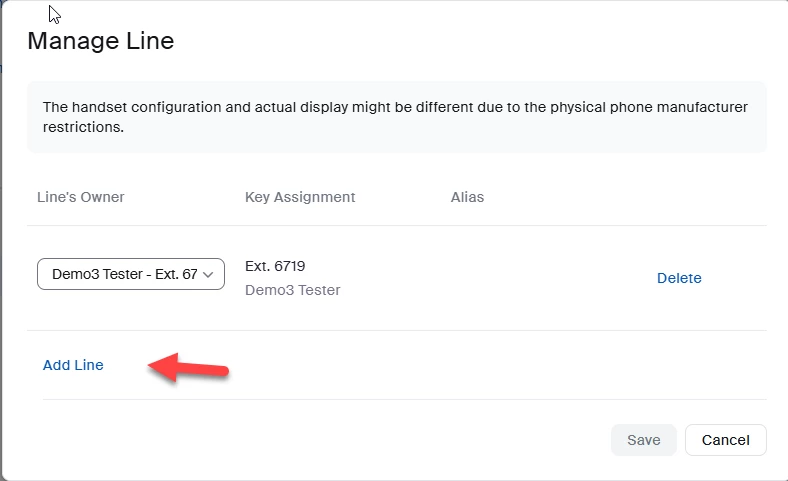
You can use Manage Line to add lines, i.e. more extensions to a handset.


Did my response answer your question? If so, please don't forget to mark the reply as an accepted solution.


thanks,  eliot


2 replies

EliotAnswer
Partner
Jul 23, 2024 2:11 PM UTC

Hi mjcollinge,


Since you have already added the second handset to the base, you can add lines to the second handset.


Go to admin->phone system management-phones & devices->assigned->yealink70b->handset.  You should see each handset including your first handset and your second handset.


You can use Manage Line to add lines, i.e. more extensions to a handset.


Did my response answer your question? If so, please don't forget to mark the reply as an accepted solution.


thanks,  eliot


Translate
Explorer
Aug 1, 2024 1:17 PM UTC

Excellent!  Thank you for laying this out so clearly, I really appreciate your help.

Translate