oill1zAnswer
Explorer
Dec 23, 2023 12:16 AM UTC

Perfect!


5 replies

YaBoiB
Employee
Employee
Dec 21, 2023 3:23 PM UTC

Hello @oill1z 

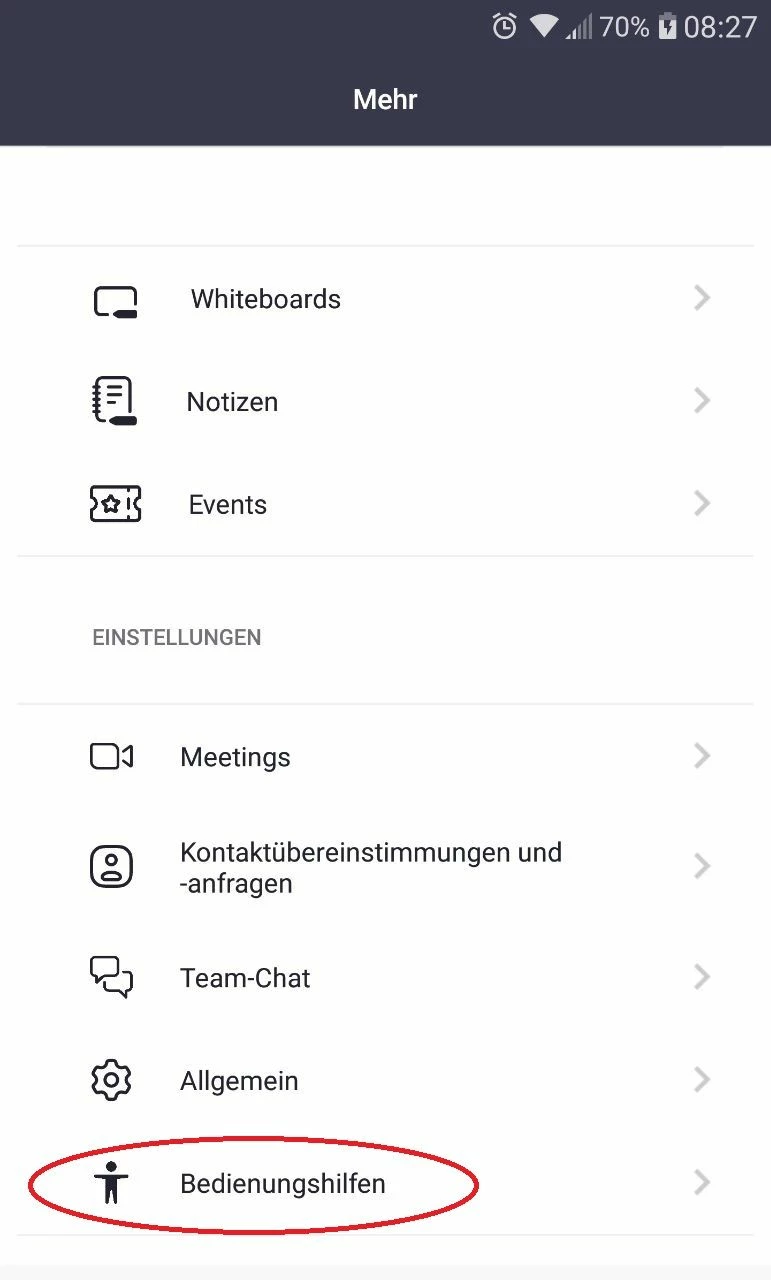
 There should be a setting in your accessibility settings on your mobile device if you have already tried to make this setting change on your Zoom app settings (screenshot below). Not only do apps have accessibility settings, but so do mobile devices or tablets. Attempt to make that setting change and let me know if that helps. 


Since I do not have an Android phone and cannot test this for you. ( I have an iPhone) I took the liberty of looking up some other resources that might help you with this question. 


https://www.techjunkie.com/how-to-stop-lg-g5-from-dimming/


Translate
Explorer
Nov 19, 2024 1:47 AM UTC

I did this on my Android however when I use my computer it still dims the video. That tab is missing on my laptop account.


Translate
oill1zAuthor
Explorer
Nov 19, 2024 4:20 PM UTC

did you install updates and is your zoom up2date? windows 10 or 11? all drivers up2date?

Translate
oill1zAuthorAnswer
Explorer
Dec 23, 2023 12:16 AM UTC

Perfect!


Translate