

Explorer
Dec 17, 2021 10:47 PM UTC
Solved

Zoom crashes when trying to add background image

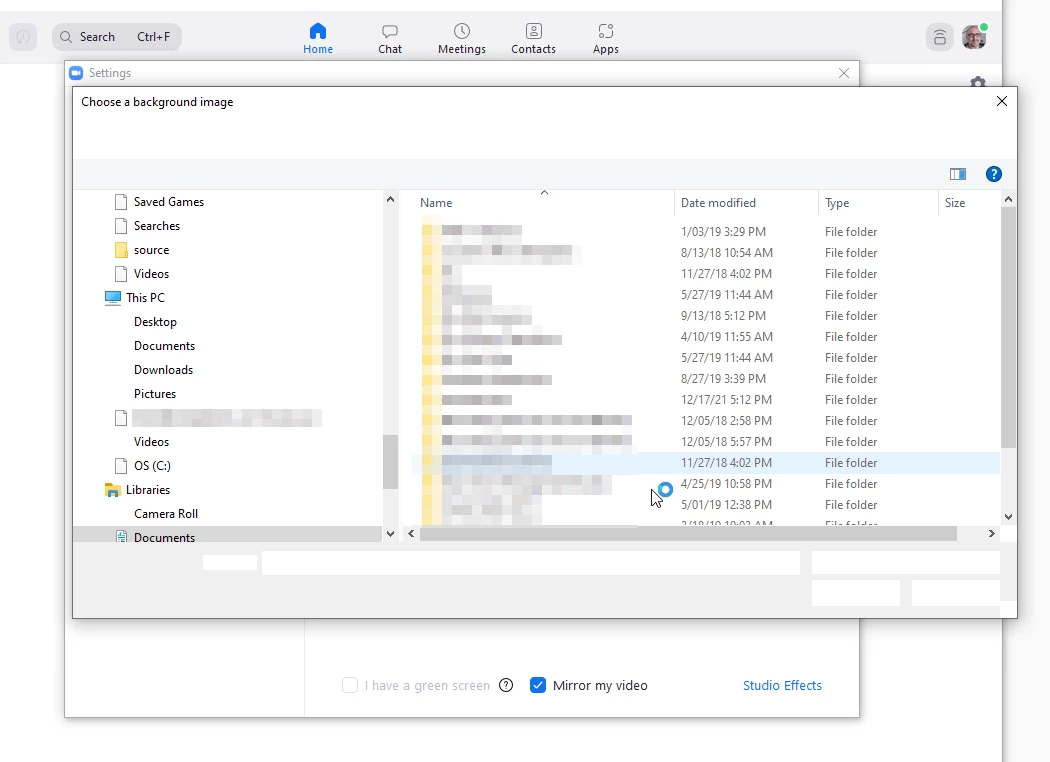
I cannot add/change my virtual background because Zoom crashes when the open file dialog box appears. The cursor will spin for a minute, then zoom will crash. Any troubleshooting ideas would be welcome. I have already uninstalled using the clean uninstaller tool, and then reinstalled. The problem persists and occurs on Zoom only.

This is what it looks like just before crashing. The dialog appears, the cursor changes to the "waiting cursor",  you cannot interact with the screen, then it crashes. It's not intermittent - it's every single time. 
 

**** UPDATE: 2022-01-25 *****

I just updated to Version 5.9.3 (3169) and the issue is resolved.


    kwanderAnswer
    Newcomer
    Jan 28, 2022 7:25 PM UTC

    Thank you! Version 5.9.3 (3169) solved the problem for me too!

    7 replies

    Newcomer
    Dec 21, 2021 5:34 PM UTC

    This also happens to me. I uninstalled and reinstalled Zoom, but it didn't resolve the issue. 

    Translate
    Newcomer
    Jan 19, 2022 6:52 PM UTC

    Same here, I've repeatedly filled out the form asking what I was doing, but had no feedback or anything.

    I'm not a happy about this!!! 🙎

    Translate
    shane_mAuthor
    Explorer
    Jan 25, 2022 9:50 PM UTC

    I am the original poster. 

    I just updated to Version 5.9.3 (3169) and I am no longer experiencing the issue.

    Translate
    kwanderAnswer
    Newcomer
    Jan 28, 2022 7:25 PM UTC

    Thank you! Version 5.9.3 (3169) solved the problem for me too!

    Translate
    Newcomer
    Nov 18, 2022 2:07 PM UTC

    Same issue with version 5.12.8.

    Translate
    Newcomer
    Nov 19, 2022 3:39 PM UTC

    It only crashes on my iPad, not my iphone


    Translate
    Newcomer
    Sep 11, 2025 2:02 PM UTC

    Hi, Since Zoom crashes when opening the background image dialog, here are some steps that may help: Update Graphics Drivers: Ensure your GPU drivers are current, as this can affect image handling. Run as Administrator: This ensures Zoom has full access to system folders. Check Folder Permissions: Make sure your Pictures/Documents folders are accessible. Disable Hardware Acceleration: Go to Settings → Video → Advanced and turn off hardware acceleration. Test on a New User Account: Sometimes profile-specific settings cause issues. These steps usually resolve issues with adding virtual backgrounds. If it continues, Zoom Support can provide guidance using your system logs.

    Translate