

Explorer
Jan 20, 2023 4:32 AM UTC
Solved

Zoom auto adjusts Microphone even thought that setting is turned off. Windows 11
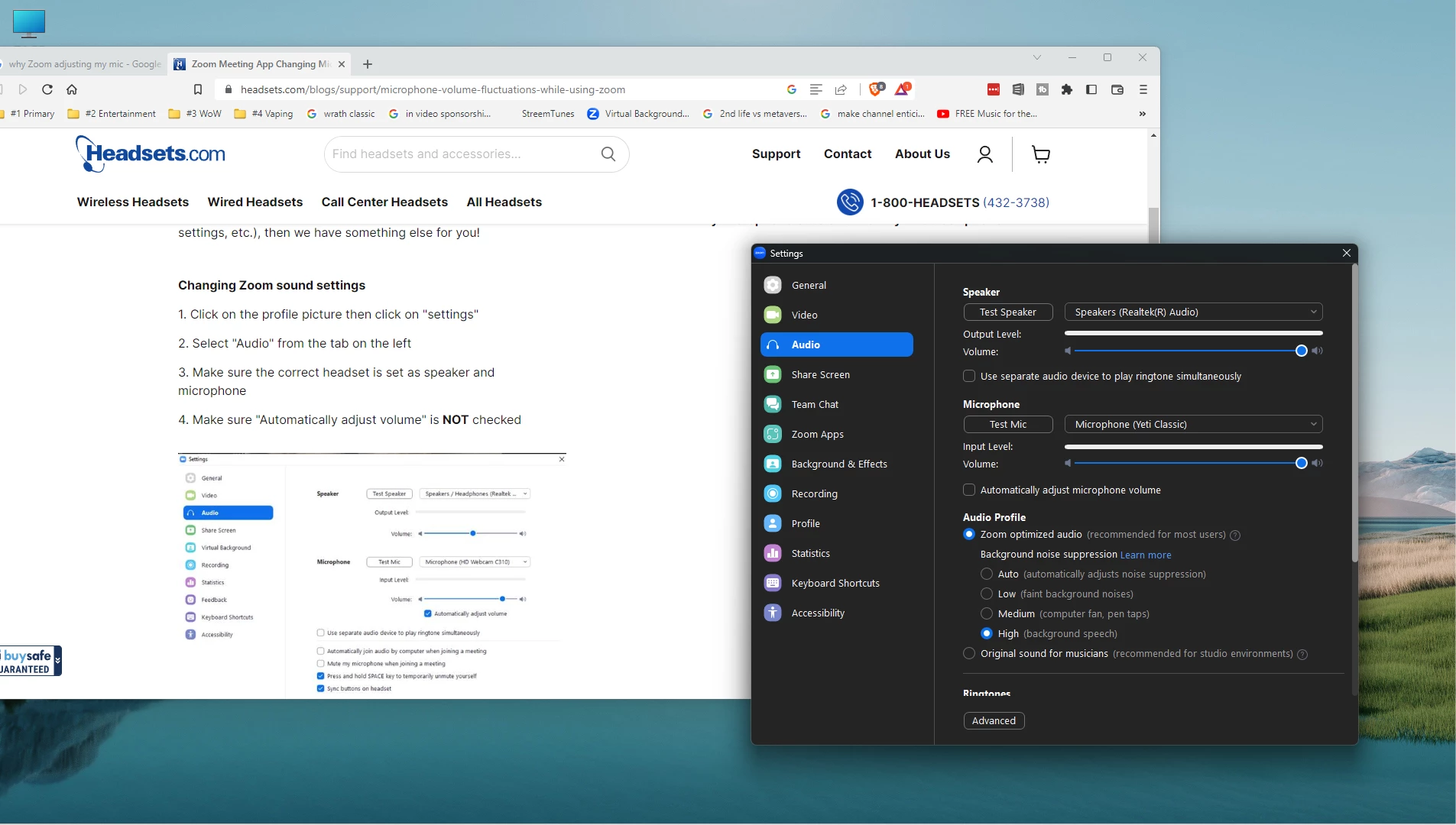
 

Zoom always adjust my volume down to 50% when I open the room and after I put it back it does it one more time. You can see by the image that I have that setting turned off but it still does it. This does not happen in OBS or any other application that I use.

    DoctorWho
    DoctorWhoAnswer
    Participant
    Jan 20, 2023 8:32 AM UTC

    Hi @Raw_Chuck 


    you might get played by Microsoft and not zoom.

    Have a look at the following link from Microsoft 🙂 
    https://answers.microsoft.com/en-us/windows/forum/all/how-do-i-stop-windows-11-from-automatically/e65ca077-303b-4f5c-872f-5a6b9b9550f9


    Zoom might be recognized as a VoIP Software and as we know, windows is intelligent 😉

    Anyway, good luck!

    3 replies

    DoctorWho
    Participant
    DoctorWhoAnswer
    Participant
    Jan 20, 2023 8:32 AM UTC

    Hi @Raw_Chuck 


    you might get played by Microsoft and not zoom.

    Have a look at the following link from Microsoft 🙂 
    https://answers.microsoft.com/en-us/windows/forum/all/how-do-i-stop-windows-11-from-automatically/e65ca077-303b-4f5c-872f-5a6b9b9550f9


    Zoom might be recognized as a VoIP Software and as we know, windows is intelligent 😉

    Anyway, good luck!

    Translate
    Newcomer
    Jun 16, 2025 9:30 AM UTC

    Thank you! This solved it for me ❤️

    Translate
    Raw_ChuckAuthor
    Explorer
    Jan 21, 2023 10:11 PM UTC

    That would not surprise me. I think it happened after a recent Windows update. Other people in my Zoom get some kind of video problems too. Windows has a long history of these sort of things.

    Thank you.

    Translate