
Explorer
Jan 21, 2022 3:28 PM UTC
Solved

zCefAgent.exe
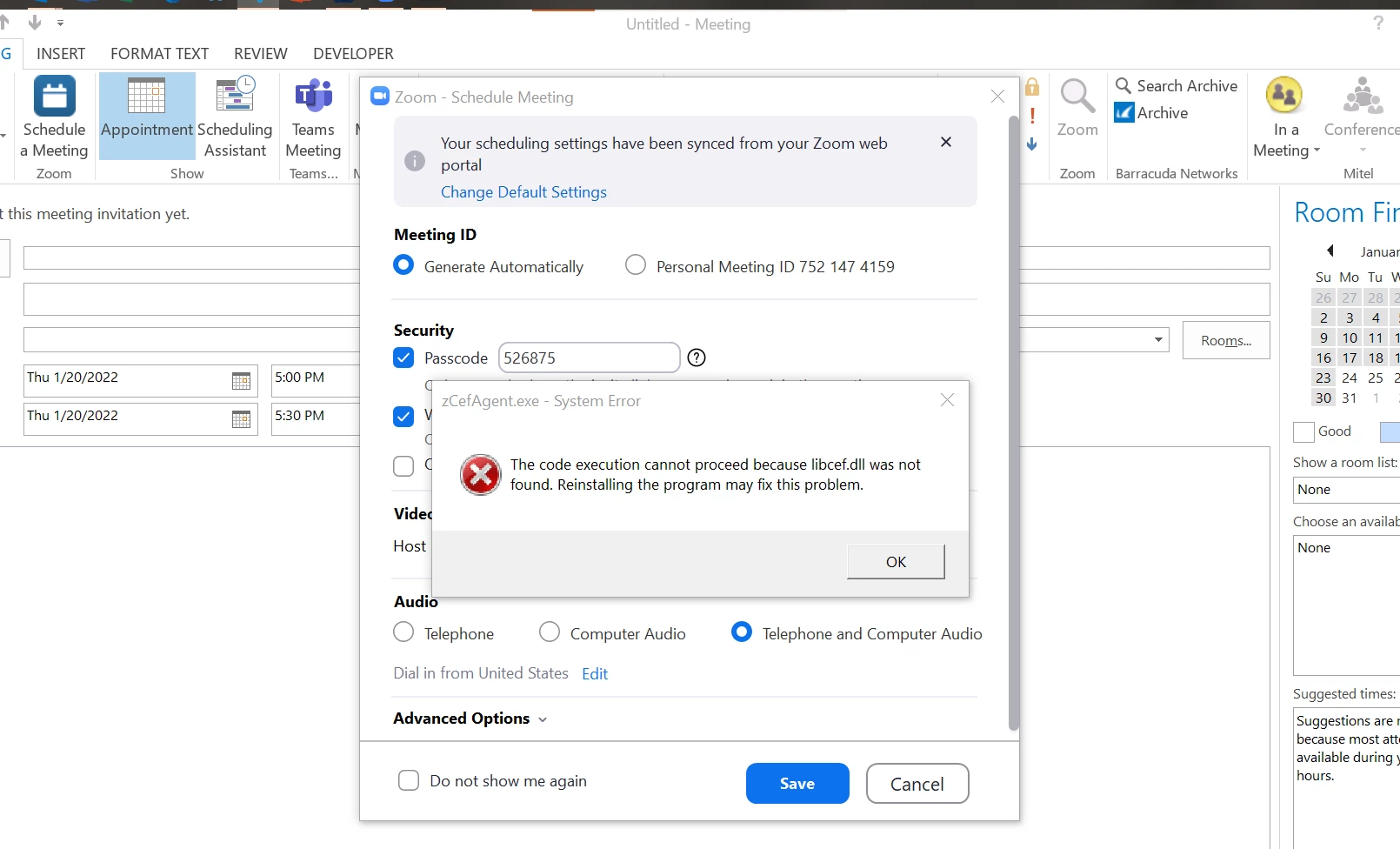
 

Has anyone been able to find a solution to this error that keeps popping up. I have read that you should revert back to an lder version to fix this.  But did that, still pops up. Anyone have a solution?

    RN11_2Answer
    Community Manager
    Jan 25, 2022 3:43 PM UTC

    Hey @JeremiahJohnes, try to install the Microsoft Edge WebView2 Runtime on the issue computer. The installation of this APP needs admin privilege. You can download the WebView2 Runtime from the following link based on the OS version of the computer. https://developer.microsoft.com/en-us/microsoft-edge/webview2/


    If the above does not work and if you don't need the feature of Zoom Apps, you can disable it via an admin account on the web portal.  Then have the user log off and back on.  Account Settings -> Zoom Apps -> Zoom Apps Quick Launch button

    2 replies

    RN11_2Answer
    Community Manager
    Jan 25, 2022 3:43 PM UTC

    Hey @JeremiahJohnes, try to install the Microsoft Edge WebView2 Runtime on the issue computer. The installation of this APP needs admin privilege. You can download the WebView2 Runtime from the following link based on the OS version of the computer. https://developer.microsoft.com/en-us/microsoft-edge/webview2/


    If the above does not work and if you don't need the feature of Zoom Apps, you can disable it via an admin account on the web portal.  Then have the user log off and back on.  Account Settings -> Zoom Apps -> Zoom Apps Quick Launch button

    Translate
    Newcomer
    Feb 23, 2022 4:42 PM UTC

    Hello, 


    Sorry for what might be an obvious question and answer. Can you go into more detail of the install process? When I download the above link: https://developer.microsoft.com/en-us/microsoft-edge/webview2/


    In the download it just has the files. Do we just extract and run as admin the "msedgewebview2" application?


    Translate