Explorer
Aug 9, 2025 7:13 PM UTC
Solved

timestamps placed on recording even though I have it unchecked in settings

I can't seem to get the timestamps removed from my recordings, even though I have it unchecked in my settings. Any ideas how to fix this?

KhatCAnswer
Employee
Aug 11, 2025 4:44 PM UTC

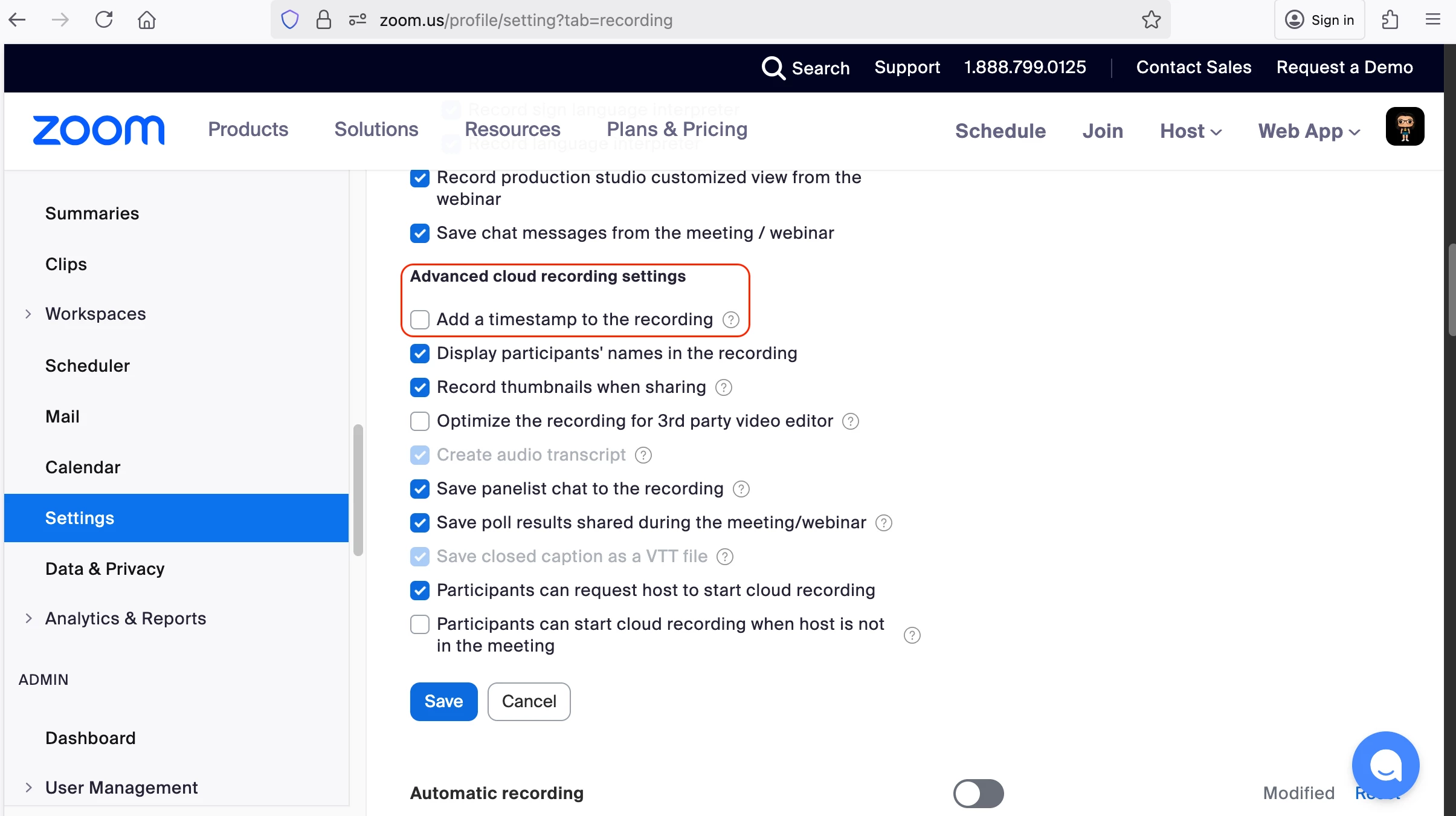
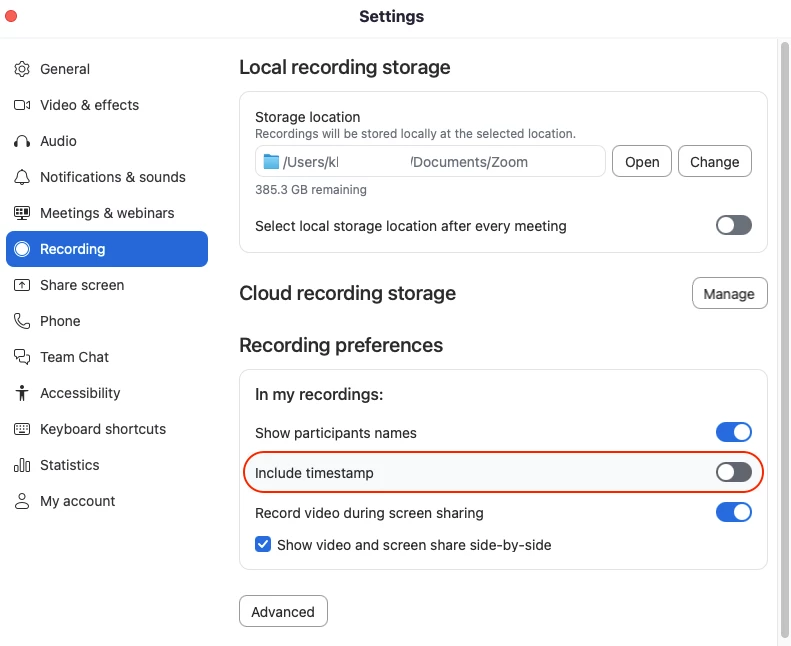
Hi @virginiaparsons, welcome to Zoom Community! To remove timestamps from recordings, please check both:

  • Disable timestamps in the web portal settings:

    • Go to your account settings

    • Look for recording preferences or timestamp options

    • Ensure the timestamp option is unchecked/disabled


  • Disable timestamps in the client settings:

    • Open your client application settings

    • Navigate to recording preferences

    • Verify timestamps are unchecked/disabled


After disabling timestamps in both locations, create a new recording to verify the changes have taken effect. I hope this helps!


8 replies

KhatCAnswer
Employee
Aug 11, 2025 4:44 PM UTC

Hi @virginiaparsons, welcome to Zoom Community! To remove timestamps from recordings, please check both:

  • Disable timestamps in the web portal settings:

    • Go to your account settings

    • Look for recording preferences or timestamp options

    • Ensure the timestamp option is unchecked/disabled


  • Disable timestamps in the client settings:

    • Open your client application settings

    • Navigate to recording preferences

    • Verify timestamps are unchecked/disabled


After disabling timestamps in both locations, create a new recording to verify the changes have taken effect. I hope this helps!


Translate
Explorer
Aug 11, 2025 5:55 PM UTC

Thanks for your help. Unfortunately my menu does not look the same as your lower image. I am unable to find "recording preferences" and when I do a search for it nothing comes up. I had already unchecked the box in the first image. Can you help me navigate to "recording preferences" ..."In my recordings"? 

Translate
Employee
Aug 12, 2025 6:49 PM UTC

The lower image refers to the desktop app. If you click your profile photo or name initials at the top right corner of the app, you should see Settings almost at the bottom of the list. When clicked, the Settings window should pop up and you can go to the Recording tab to find the timestamp setting. Just wanted to confirm if this is where you went to look it up?

Translate
Explorer
Aug 15, 2025 2:11 AM UTC

Thanks so much KhatC. The timestamp is gone, but now I have a big ZOOM showing on the right side of my videos. How do I remove that? I never used to have these issues. Sigh!

Translate
Employee
Aug 19, 2025 7:02 PM UTC

Can you share a screenshot for reference, @virginiaparsons? 

Translate