

Newcomer
Mar 28, 2023 5:15 PM UTC
Question

Recording lost

Hello,

I would like to ask you one question. In January I made an very important call which was recorded via Zoom. Not knowing how the Zoom works, I thought it will be saved in my acccount just on MS Teams and therefore I dont have to save it. Nevertheless the Zoom asked me if I want to save recording on Cloud or to computer. I didnt want to upgrade my account, so I have chosen the option save to desktop. The problem is, my desktop was damaged and unable to restore the data. So I lost the way to my recording. Is there any chance , how I can get my recording back via Zoom? Or how to reach customer service, any mail or phone number or person I can contact? Do they somehow have access to your account and content? Thanks a lot.
 

    4 replies

    Newcomer
    Mar 28, 2023 6:10 PM UTC

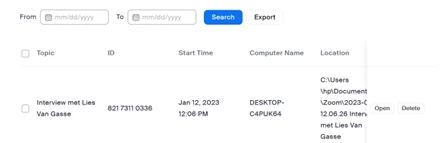
    Check your recording list and the cloud

    Translate
    Partner
    Apr 14, 2023 3:24 PM UTC

    Unfortunately, Zoom just keeps the local record of where the recording saved and does not keep a copy of the recording for themselves. Cloud recordings save on Zoom Servers, but after 30 days in the trash they are also deleted permanently and Zoom does not have a way to recover them.


    Since it saved in your documents folder there's a chance if you have Dropbox, OneDrive, or something similar, it might have been saved and backed up by one of those services, but Zoom does not keep a copy of any local recordings.

    Translate
    Newcomer
    May 6, 2025 3:31 PM UTC

    I am having a similar issue... I recorded a meeting to the cloud last week (4/29/2025) and it never populated... I have the meeting ID but I am having a hard time connecting with zoom customer service. Can this recording be retrieved? I double checked my computer to see if I accidentally recorded to my device instead of the cloud... nothing is saved there... any help would be appreciated. 


    Translate
    Partner
    May 6, 2025 4:50 PM UTC

    If you check here: https://www.zoom.us/recording/ you should see it under one of the tabs if it was recorded, if it is not under one of the tabs then it was not recorded by Zoom.

    Translate