
Explorer
Jan 25, 2022 8:19 PM UTC
Solved

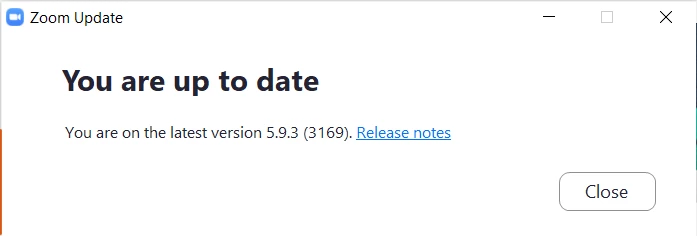
Latest Windows version [5.9.3 (3169) is broken

I took me half a dozen tries to join a meeting, two or three of which froze. I finally was able to join by starting with my Zoom account page, but still have no video whatsoever. Anyone?

 

    RN11_2Answer
    Community Manager
    Jan 26, 2022 4:05 PM UTC

    Hey @kve2xgdv5b, have you tried uninstalling Zoom, restarting your computer, and reinstalling? To uninstall please follow this help article https://support.zoom.us/hc/en-us/articles/201362983-How-to-uninstall-Zoom and to install again just go to https://zoom.us/download


    Let me know how it goes! 

    7 replies

    RN11_2Answer
    Community Manager
    Jan 26, 2022 4:05 PM UTC

    Hey @kve2xgdv5b, have you tried uninstalling Zoom, restarting your computer, and reinstalling? To uninstall please follow this help article https://support.zoom.us/hc/en-us/articles/201362983-How-to-uninstall-Zoom and to install again just go to https://zoom.us/download


    Let me know how it goes! 

    Translate
    Explorer
    Jan 27, 2022 12:11 AM UTC

    Yes, that's exactly what I did after writing my original message. It worked for me. I will say that I've had increasing trouble joining meetings for the last few updates. Thanks for your prompt reply!

    Translate
    Explorer
    Jan 28, 2022 11:04 PM UTC

    I've had the same issue on my desktop and have tried a regular uninstall with Windows 10 and installing again. This version 5.9.3 (3169) has a popup about Apps that the version on my laptop (which is working) doesn't have. My laptop is running 5.9.1 (2581). When Zoom finally gets going on my desktop, I can't show video. So frustrating. But I'll look at your uninstall and install directions in this earlier response and hope it works. 

    EDIT: Your directions to uninstall were what I did and I installed from the same place you link to in  your directions. Not sure what to try now. Help!

    EDIT 2: I uninstalled, restarted my desktop computer, then installed Zoom again, still this same version. This time it let me click on the Stop Video but then it immediately froze and I never saw my video. Still need help!


    Translate
    Newcomer
    Mar 10, 2022 5:42 PM UTC

    did you ever get this sorted out? i am having the exact same problem and it's starting to affect my work presence . 

    Translate
    Explorer
    Mar 10, 2022 5:56 PM UTC

    I haven't been having the particular problem I reported here, the overall quality of the software seems to have significantly deteriorated over the last few months. I still have continual issues like getting no response to clicking on Share Screen, being dropped from meetings, random freezes, crashes where I'm not even doing anything. BTW, I've stopped checking for updates; I'm afraid they will just make things worse. So I'm currently still on version 5.9.3 (3169).


    Hopefully someone from Zoom support will see that you and I  (and SusanS) are still having difficulties and will respond. Good luck!

    Translate