Explorer
Jul 1, 2024 7:51 AM UTC
Solved

How can I force that all participant's camera can not be openned?

How can I force that all participant's camera can not be openned?

bstrelko
bstrelkoAnswer
Partner
Jul 1, 2024 12:50 PM UTC

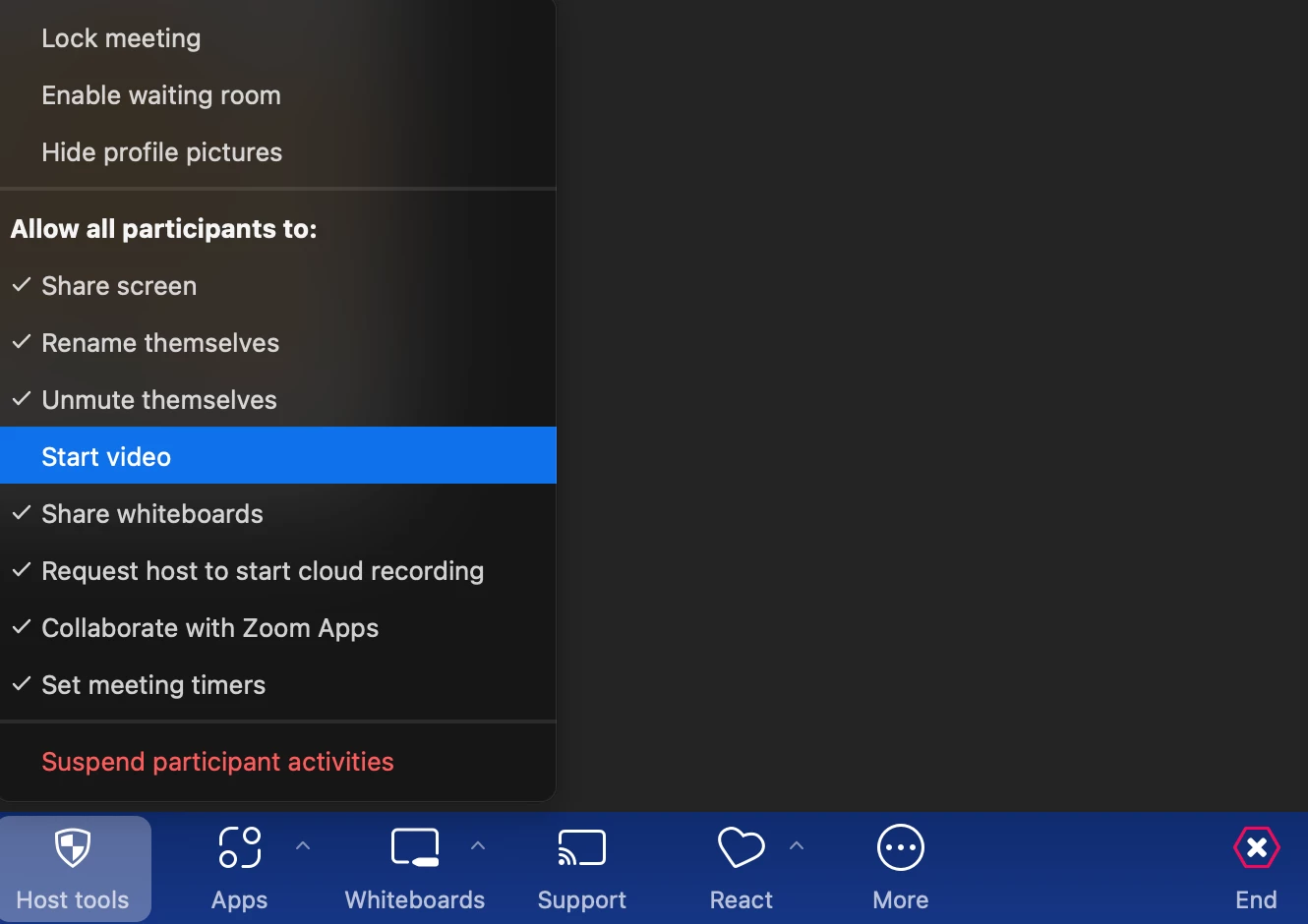
In any given meeting (as host), navigate to "Host Tools" on the bottom toolbar and de-select "Allow All Participants to Start Video".


This will prevent any participants from opening their cameras.

1 reply

bstrelko
Partner
bstrelkoAnswer
Partner
Jul 1, 2024 12:50 PM UTC

In any given meeting (as host), navigate to "Host Tools" on the bottom toolbar and de-select "Allow All Participants to Start Video".


This will prevent any participants from opening their cameras.

Translate