Explorer
Jul 24, 2024 8:22 PM UTC
Solved

Deactivating meeting logon

I created a Zoom meeting link with my personal Meeting ID. It was used by myself and a small group of business associates. However, after leaving the group, I have discovered that they continue to use that link for their own meetings. Can I delete the meeting in some way to disable their use of my meeting account for their personal use? They simple copy and past the meeting info and share it among themselves.

Ray_Harwood
Partner
Jul 29, 2024 3:47 AM UTC

Welcome to the Zoom Community, @rfpriddy.


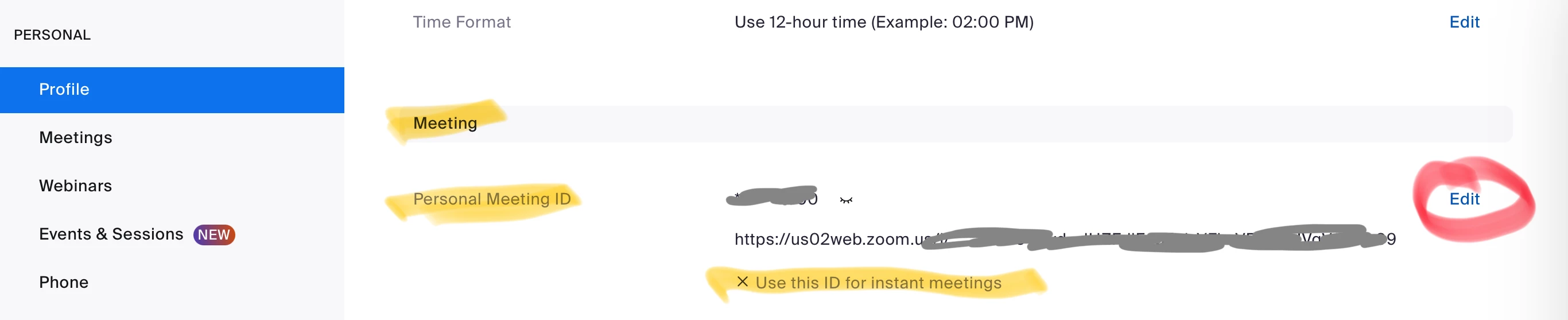
There’s a few options, the best of which is to change your PMI number:

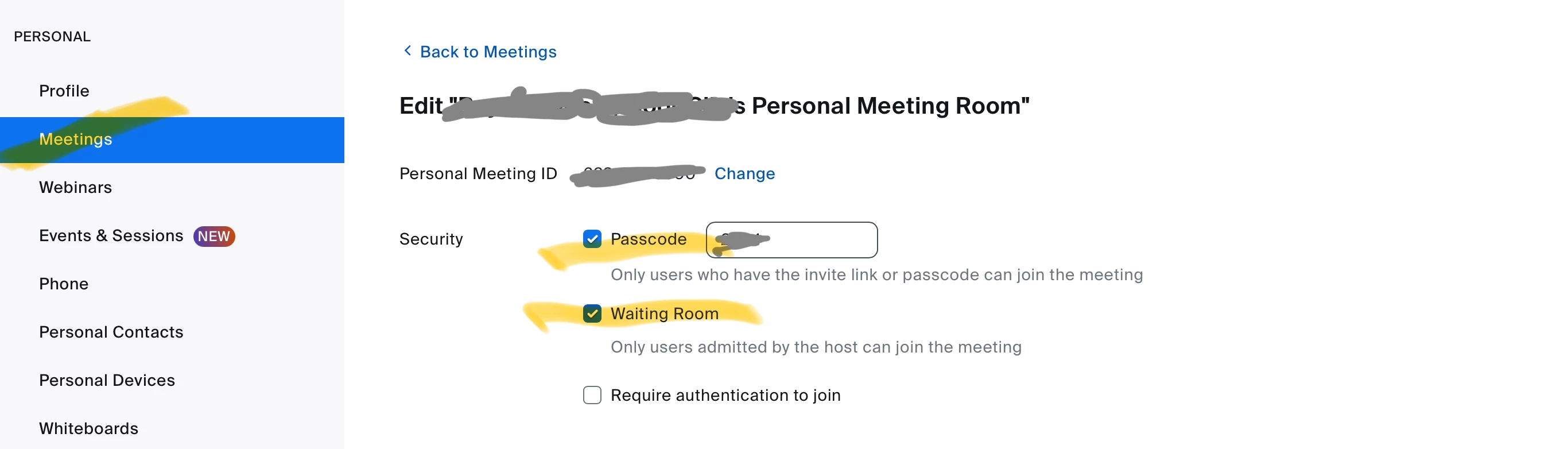
I recommend including a Passcode and Waiting Room for the PMI as well. Go to Personal-> Meetings -> Personal Room tab, click Edit at the bottom to see:


And be sure to set all scheduled meetings to use a Generated ID.  Use the PMI as little as possible. The convenience you get by not having to send people links to meetings really is outweighed by the security implications of “too many people have access.”

1 reply

Ray_Harwood
Partner
Partner
Jul 29, 2024 3:47 AM UTC

Welcome to the Zoom Community, @rfpriddy.


There’s a few options, the best of which is to change your PMI number:

I recommend including a Passcode and Waiting Room for the PMI as well. Go to Personal-> Meetings -> Personal Room tab, click Edit at the bottom to see:


And be sure to set all scheduled meetings to use a Generated ID.  Use the PMI as little as possible. The convenience you get by not having to send people links to meetings really is outweighed by the security implications of “too many people have access.”

Translate