

Explorer
Jun 26, 2023 3:16 PM UTC
Question

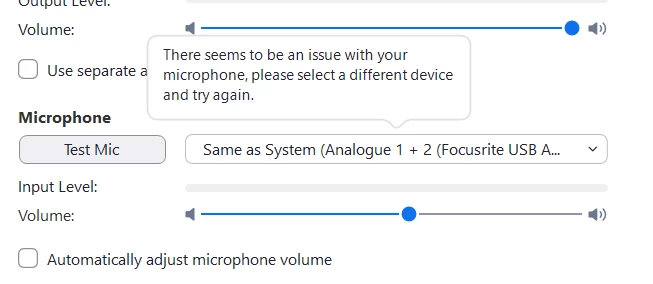
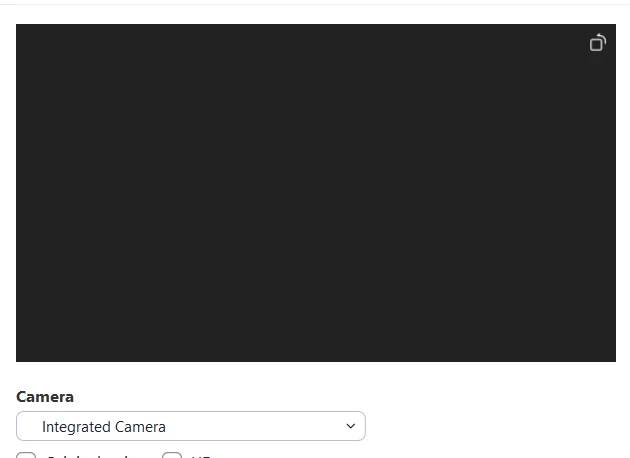
Can't turn on microphone and camera

My microphone and camera won't work on Zoom Desktop Client. However, it works on other apps, even Zoom on browser.

1. I've allowed permission to Zoom Desktop Client.

2. This problem applies to other cameras and microphones I have.

3. I've uninstalled and reinstalled Zoom as well as restarted my laptop, but the problem still persists.
Does anyone know how to fix this?


    6 replies

    Newcomer
    Jul 11, 2023 6:34 AM UTC

    Make sure the cable connection with the microphone is fully inserted into the appropriate port. If Zoom fails to detect your microphone, unplug the device and plug it back in. If it's a bluetooth device, ensure that it is turned on and connected properly. Make sure that you are using a supported USB device for Zoom.


    Regards,

    Diana

    Translate
    EZ_Livin8Author
    Explorer
    Jul 13, 2023 3:30 AM UTC

    Yes, it is a supported device. I also used the microphone and camera that're built into the laptop and they also don't work.

    Translate
    Newcomer
    Aug 11, 2023 8:03 AM UTC

    Did you solve this problem? I have a same issue, after updating Zoom to 5.15.5 (and then 5.15.6)

    Translate
    Newcomer
    Oct 25, 2024 9:39 PM UTC

    Same problem and impossible to get help from zoom

    Translate
    Newcomer
    Oct 27, 2024 7:48 PM UTC

    Same problem here. Big blank screen. All locked up. Zoom must have hired those "younger" programmers.

    Translate
    MGSR
    Community Manager
    Community Manager
    Oct 30, 2024 5:03 PM UTC

    Hello there,

    I'm sorry for the late response and for the inconvenience. 

    You may check out these resources for troubleshooting your microphone and camera issues:
    Troubleshooting speaker or microphone issues in the desktop client

    Troubleshooting video display

    Troubleshooting camera issues during a meeting

    Please let us know if you need further assistance.

    Translate