

Explorer
Aug 1, 2022 6:41 PM UTC
Solved

Can't "see" whole calendar on laptop to forward to schedule a meeting to desired month/date!

Hello Friends,


For some reason, on my laptop, when trying to pick a date for a future meeting, I cannot see the entire monthly calendar (the pop-up is cutoff at top) so I am not able to forward to the desired date. I can see it on my desktop however. This is not only annoying be super inconvenient!! Weird thing is, I used to be able to do this from my laptop.


Please see attached screenshot.


Any help is appreciated!

THANK YOU!

    Employee
    Aug 2, 2022 2:50 PM UTC

    Hello @amyfournier,


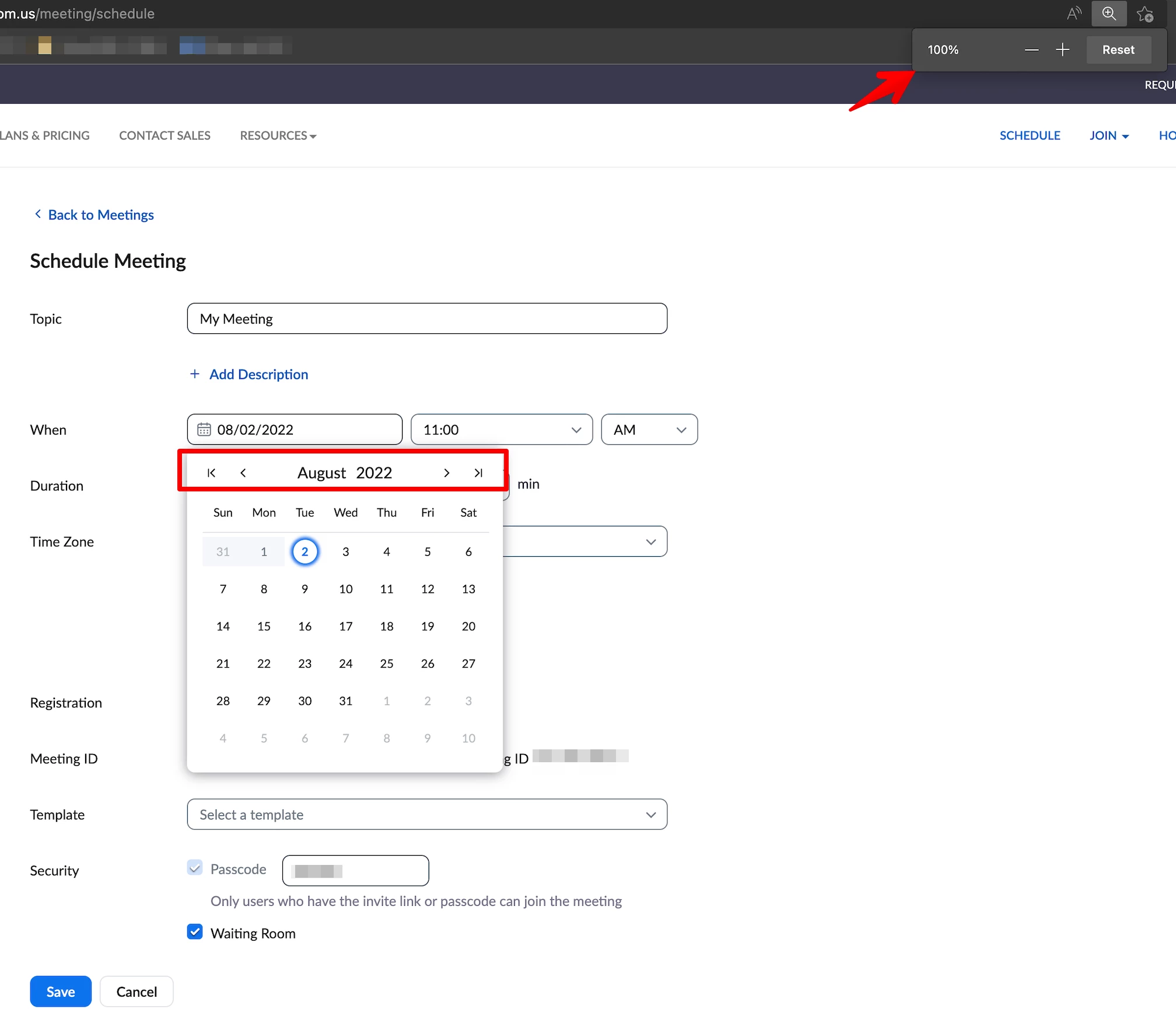
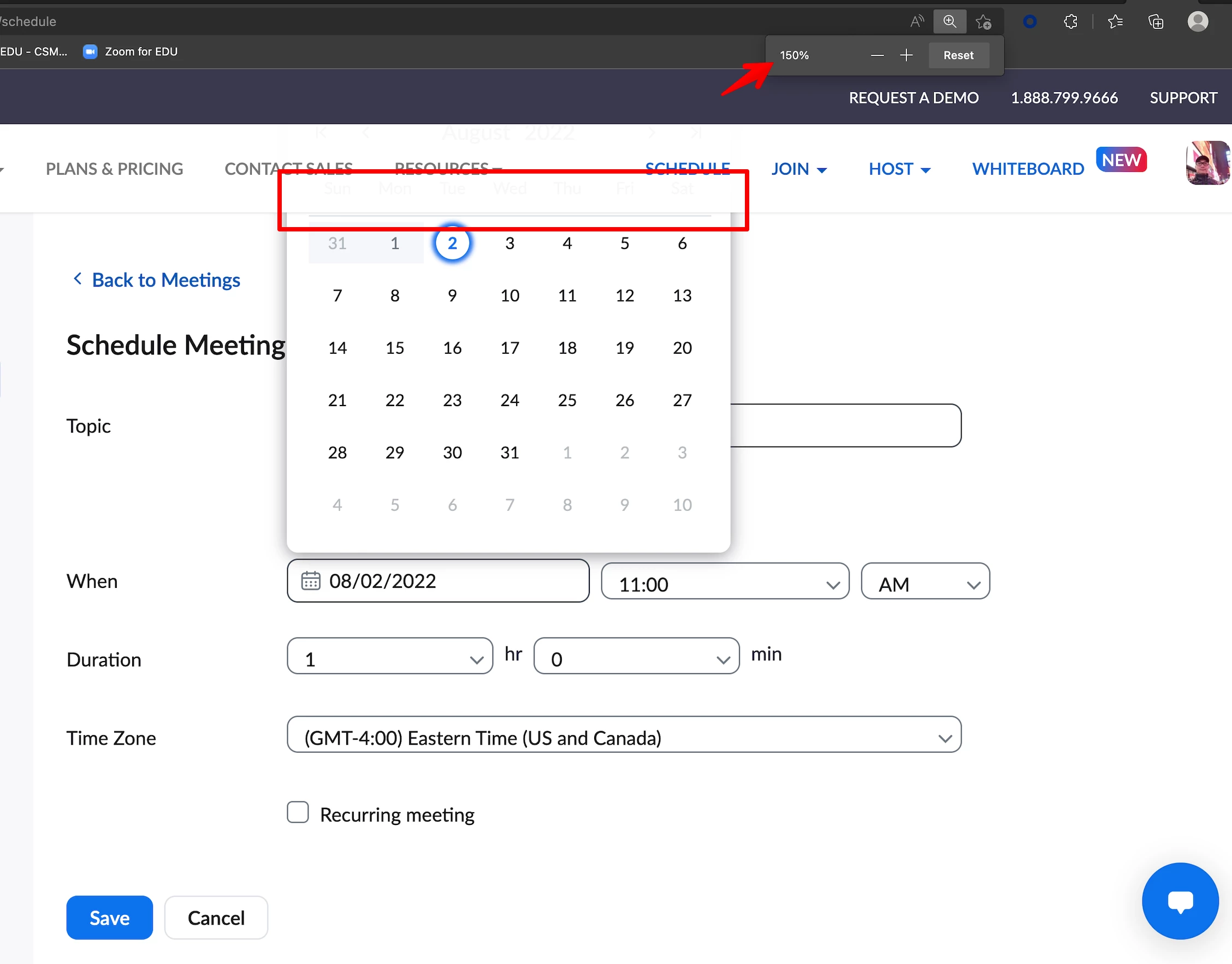
    Thank you for your message. From your browser's view, can you try this please:


    Press the Command and (- Minus) keys from the keyboard (if you're using Mac)

    Press the CTRL and (- Minus) keys from the keyboard (if you're using Windows)


    An example view from my side when set at 100%:


    While this is an example view set at 150%:


    2 replies

    Employee
    Aug 2, 2022 2:50 PM UTC

    Hello @amyfournier,


    Thank you for your message. From your browser's view, can you try this please:


    Press the Command and (- Minus) keys from the keyboard (if you're using Mac)

    Press the CTRL and (- Minus) keys from the keyboard (if you're using Windows)


    An example view from my side when set at 100%:


    While this is an example view set at 150%:


    Translate
    Explorer
    Aug 4, 2022 4:30 PM UTC

    Wow yes!
    It worked!
    Brilliant - thank you so very much!!!!!!

    Translate