

Newcomer
Mar 19, 2024 9:52 PM UTC
Solved

Blurry Video Recording

When I record a Zoom meeting to the cloud, the video is not clear, but a little blurry. If I choose a local recording it is clear, but I cannot opt for a speaker view recording. Why is my cloud recording blurry? (I am attaching a screenshot of a cloud recording video)


I have a new MacBook Pro with sufficient storage available.

I have a Zoom Pro account

I deleted prior recordings before starting.


Please help me find a solution.
JennifeAnswer
Employee
Mar 20, 2024 7:22 AM UTC

Hi @Pam-EFM 

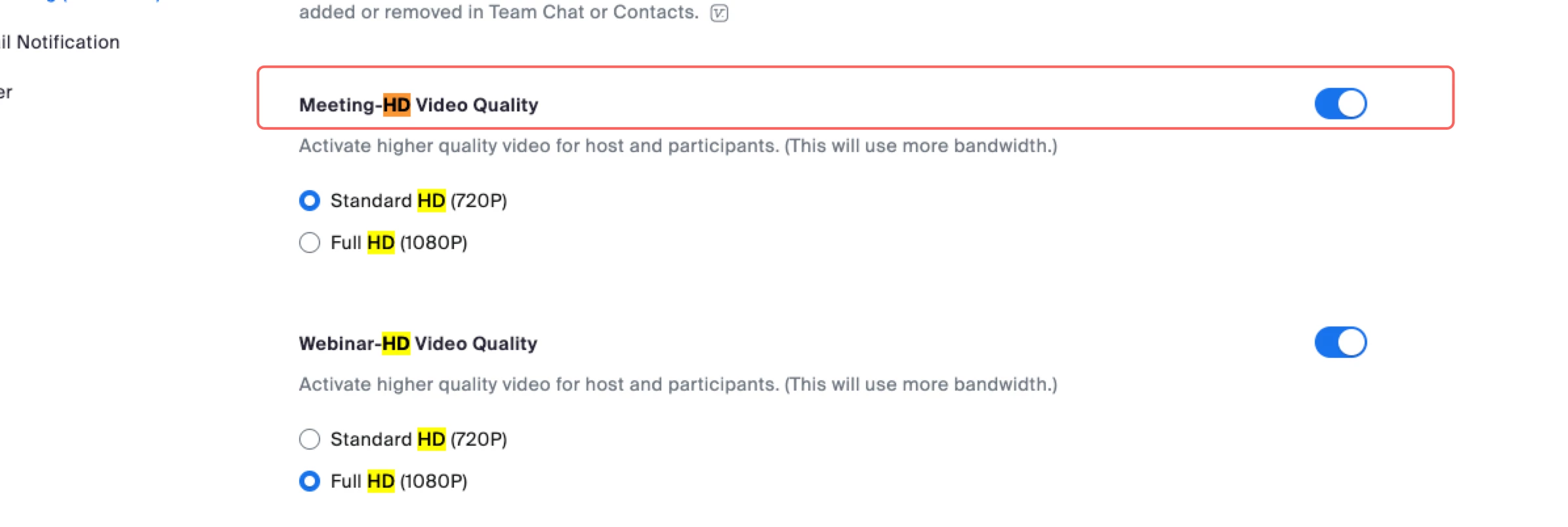
Do you turn on the HD setting on the web portal?  If not, please try it. If HD is already enabled, but it is still blurred, please get in touch with our Zoom support to provide more details so that we can analyze the case.


2 replies

JennifeAnswer
Employee
Mar 20, 2024 7:22 AM UTC

Hi @Pam-EFM 

Do you turn on the HD setting on the web portal?  If not, please try it. If HD is already enabled, but it is still blurred, please get in touch with our Zoom support to provide more details so that we can analyze the case.


Translate
CarlaA
Employee
Employee
Mar 26, 2024 9:16 PM UTC

Hi @Pam-EFM 


I have reviewed your post and have accepted @Jennife  reply as a solution. Please let us know if you have any further questions, thank you!

Translate