Explorer
Apr 11, 2022 5:03 PM UTC
Solved

Alt +A Hot Key Issue

I recently have a issue with use Alt + A hotkey. It suppose to be mute the mic, but when I press it, it become a screenshot instead of mute the mic. Is this a common issue, before I did not have this issue.

    Employee
    Apr 11, 2022 7:16 PM UTC

    Hi @jmtacwa 

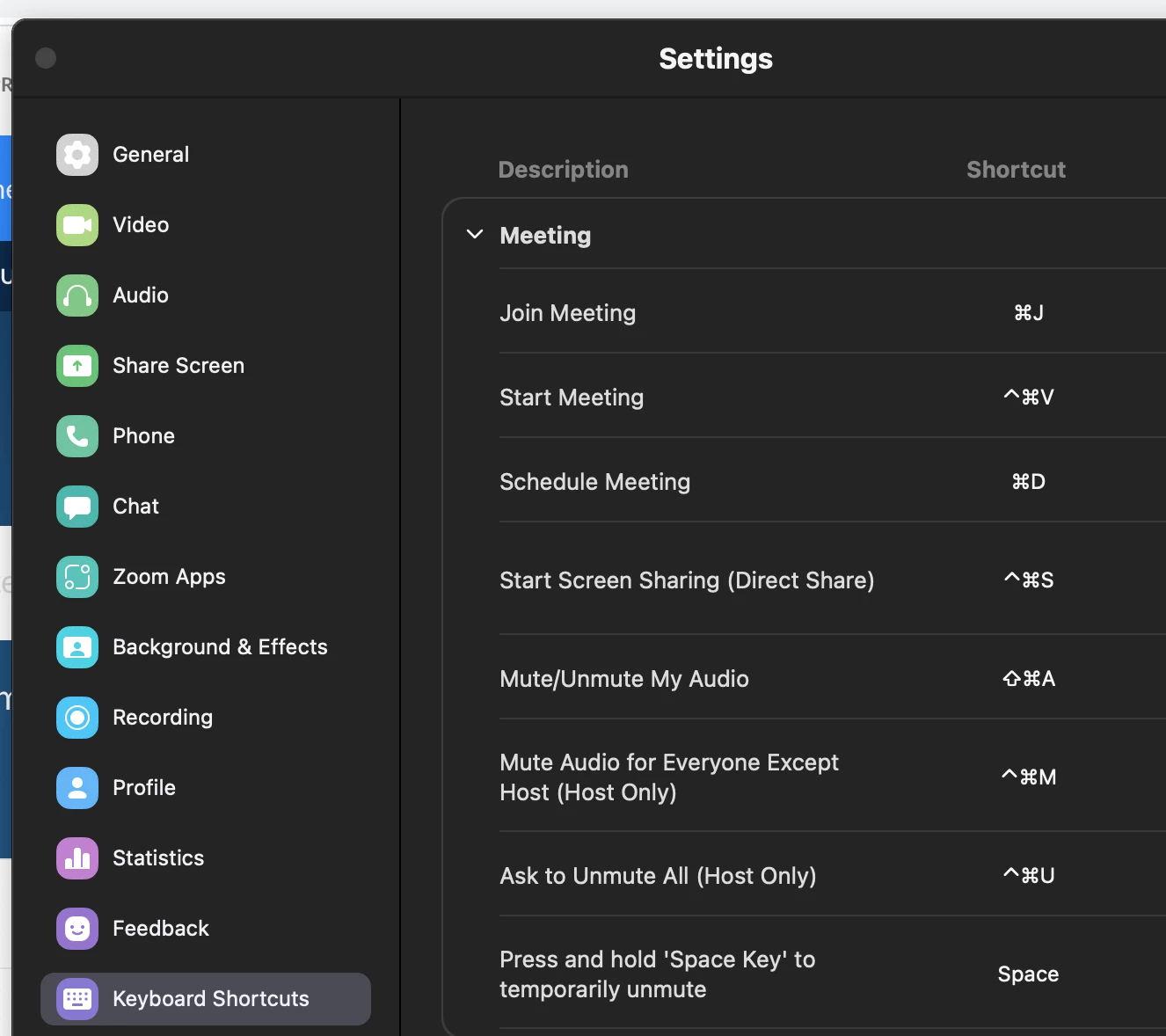
    On your Zoom app, go to your picture icon then click on Settings > Keyboard Shortcuts > Make sure the settings under Mute is how you wanted it to be (Screenshot is taken from a MAC but you should see your windows OS equivalent once you go into your own settings). Click on the Shortcut to edit it. 


    If this has answered or help find a solution to your question , please click the Accept as Solution button below so that others in the Community may benefit as well.

    3 replies

    Employee
    Apr 11, 2022 7:16 PM UTC

    Hi @jmtacwa 

    On your Zoom app, go to your picture icon then click on Settings > Keyboard Shortcuts > Make sure the settings under Mute is how you wanted it to be (Screenshot is taken from a MAC but you should see your windows OS equivalent once you go into your own settings). Click on the Shortcut to edit it. 


    If this has answered or help find a solution to your question , please click the Accept as Solution button below so that others in the Community may benefit as well.

    Translate
    jmtacwaAuthor
    Explorer
    Apr 11, 2022 8:59 PM UTC

    After change the hotkey, it solve the problem. Just wonder this was cause by windows 11 since recently I upgraded to 11

    Translate
    Employee
    Apr 11, 2022 9:37 PM UTC

    @jmtacwa , I am not sure of that, though I have not heard of any other reports of this happening. It's still good that you are able to fix it to the right shortcut key one you want now. 

    Translate